Firefox Push Notifications
A sureshot way to pull in more push notification traffic to your website
A sureshot way to pull in more push notification traffic to your website
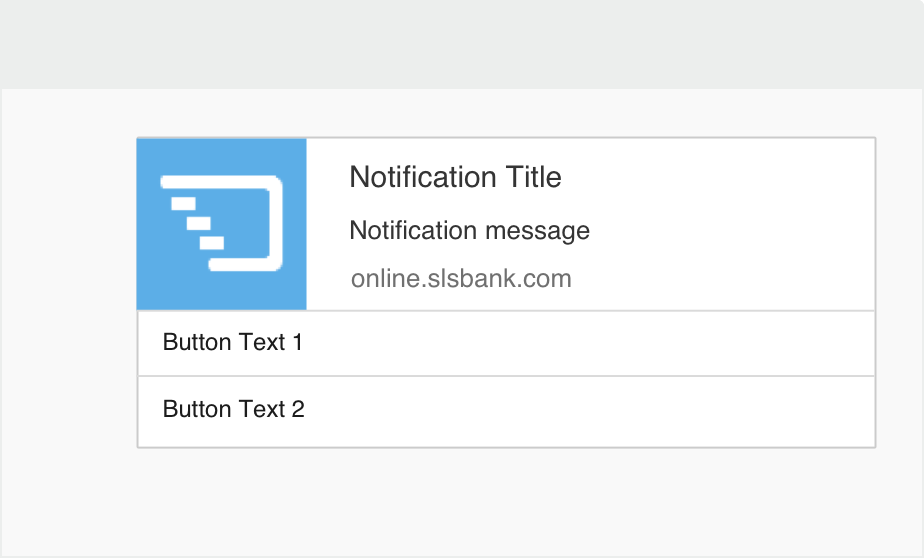
Keep your visitors hooked and returning to your website with Push Notifications for Firefox browser. How? Through real-time crisp and relevant messages triggered to their desktops and mobiles, even when they aren’t already on your website. This can be anything from your new blog post or some exciting offer or an upcoming event. Use it just the way you want it to work for your landing pages.
 Tailor-made communication
Grab users attention with personalized Firefox browser push notifications. Compose unique messages your customers will love. And they’ll easily hover to your website landing page.
 Get Mobile users hooked!
Engage your mobile users hooked to Firefox browsers by sending push notifications from your website directly to their android phone. Even without having a mobile app.
 Scheduling Notifications
Sending manual notifications across the globe is consuming all your time and giving you sleepless nights? Fret not, just schedule your notifications for a later date and time.
 Build Stronger User Base
With PushCrew push messages, you can build a stronger user base for visitors using Firefox extension. Don’t worry anymore about users missing out on important communication from you.
 Preview Notifications
Worried about how your notifications will look? Relax. PushCrew Preview Notifications feature lets you have a quick glance and perfect your notifications before you send them out.
 Quick Installation
No gruesome steps to follow, as the installation is very simple and will take you lesser than five minutes! You’ll be ready to send your first Push messages right away. Simple, right?
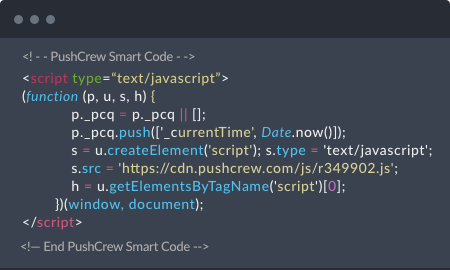
You’ll get a Smart Code immediately after creating your free PushCrew account. Place this Smart Code before the closing </head> tag on your web page.
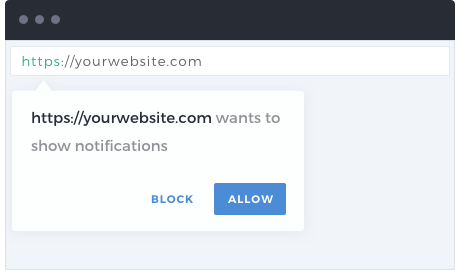
An opt-in box appears when a visitor opens your website. It ask for permission to send push notifications to the visitors’ Firefox browser. The moment the visitor clicks “Allow”, they get added to your subscriber list. No e-mail ID or other personal details required. Simple and efficient.
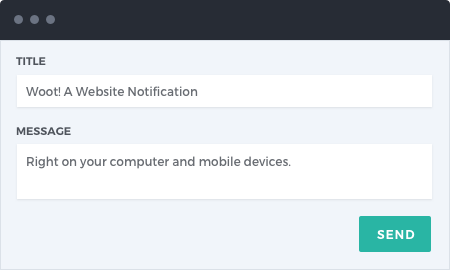
You’re now ready to send your first push notification to your users. Open your PushCrew dashboard, write the title and the message you want your users to receive from your website and send! Sit back and wait for the push notification to work its magic.
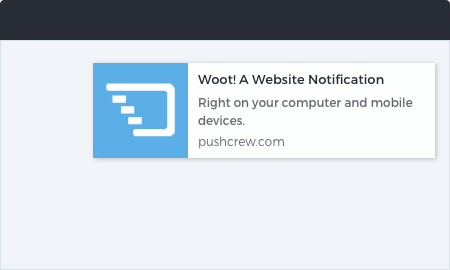
Your subscribers can now view your push notifications. You can keep a tab on your push notifications through your PushCrew dashboard. The dashboard also lets you view the number of clicks on your push notifications and other analyzed data. Yup, you’ve found your unicorn.