Chrome Push Notifications
Chrome, the most popular browser, to send push notifications from your website.
Chrome, the most popular browser, to send push notifications from your website.
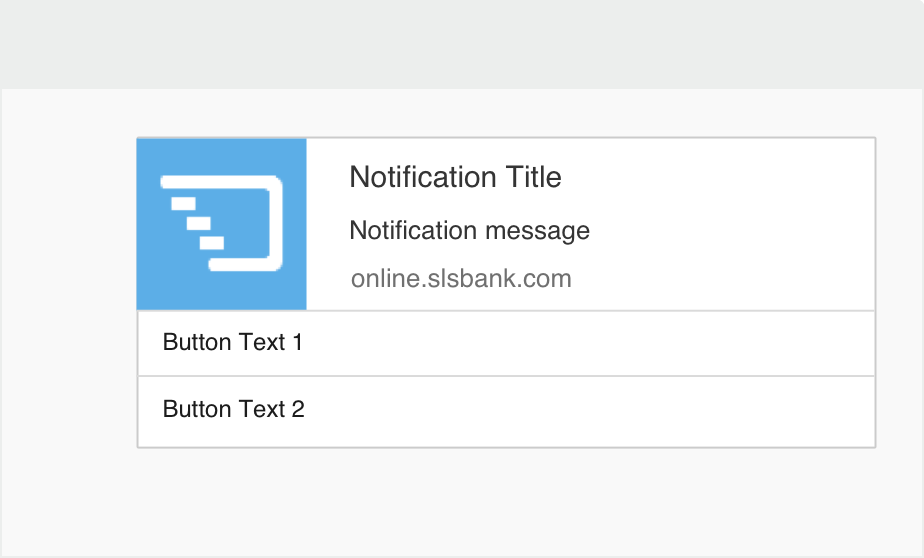
Google Chrome Push Notifications provides a real-time communication allowing you to actively engage with your audiences. Since Chrome is the most popular web browser, it becomes most the effective way to send notifications to users desktop and mobile browsers. These notifications appear as small messages near the taskbar on the chrome browser. What’s more, users need not be on your website to receive notifications. We provide you with the easiest way to outreach your subscribers and visitors with latest updates on offers, posts or events related to your business.
 Personalization
Customize the messages and push them to the right audiences based on their interests/ actions. Clickable Push Notifications to redirect the users directly to any URL on your website.
 Without Mobile App
Push Notifications work on all the devices having chrome browser installed. Now, build a mobile audience through your mobile website without building a mobile app.
 Scheduling Notifications
Why panic about sending notifications in realtime when you can schedule them for a later time and date? Save time spent on manually sending notifications.
 Pushes Expiry
An offer expiring in next 2 days? Simply set an expiry date for the push notification, based on completion of its relevancy. Notifications stop getting pushed when the set time passes.
 Preview Notifications
Since push notifications are short & direct, you can expect to get really high click-rates. On an average, the click-rate hovers between 20% and 25% (10X of email click-rate).
 Easy to Setup
Set up your account in no time and start sending push notifications right away. Implement Browser push notifications and interact with your users, all in real-time.
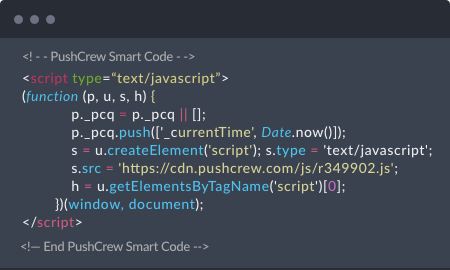
The moment you create your free PushCrew account, you’ll receive a Smart Code. Place it before the closing </head> tag on your website page.
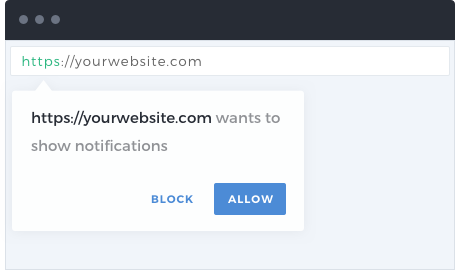
When a visitor lands on your website, they receive an opt-in box asking for permission to send push notifications on their chrome browser. When the visitor clicks on “Allow”, he/she will be added to your subscriber list. Skip the tedious task of asking for e-mail address or other details.
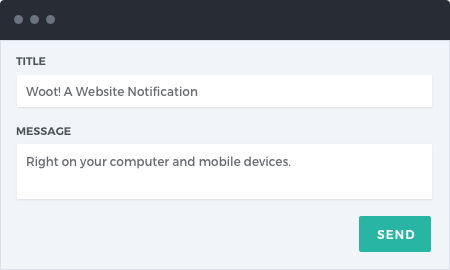
You’re now set to send your very first PushCrew push notification. Just log in to your PushCrew dashboard, compose a title and message for the push notification and you're ready!
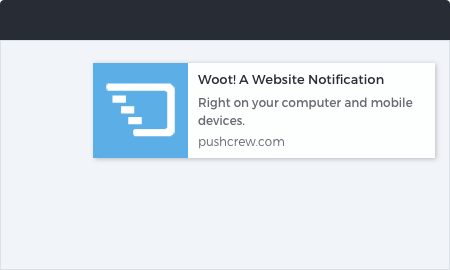
Your visitors will now see your notification in real time. You can track your push notification on your PushCrew dashboard. You can also track the number of clicks on your notifications and other metrics.